Showing posts with label Twitter Tips. Show all posts

Correct Twitter Profile Image Size

What is the best resolution/size for a twitter profile picture?
This is going to be a quick little post. For all the social media blokes trying to fit in that perfect Twitter profile pic and struggling to not see a cropped, ill-fitted display picture... here is the trick.
You can upload any format or size (but as mentioned by Twitter) as long as you have a square image. Yes! That simple.
Twitter will automatically compress the image to fit in perfectly on the profile - whether it is the one on profile or the little thumbnails that show on the timeline.
So bottom line, SQUARE shaped image needs to be uploaded i.e. equal length and breadth.

Go ahead, try it. Come back and give your feedback if it works (or doesn't work)! :)
[..read more]


How to Manage Twitter Account Completely with Zero Expense & Minimum Efforts

Twitter is a prime source for traffic and visibility for your blog or site in todays time. Whether you are managing your own blog or a company account, You just can't afford to miss out on it. It's not just a place to publicize the blog but also connect with your readers which in turn will reap multiplying benefits. Most of the companies and bloggers use Twitter API's rather then Twitter the site for their daily management of Twitter. Blogging beginners often are on limited budgets and time to dedicate to this important medium, but there are ways in which anyone can manage their twitter accounts without spending much (or nothing) and save a lot of time on tasks that would otherwise take up a lot of time. 

Often people ask 'How to manage my twitter account most effectively' - Lets learn more about A to Z of Twitter Management

Following are the basic functions a twitter account holder usually needs to undertake - 

1. Follow People in your niche and your target readers
2. Unfollow people who are not following you back or you simply don't want to anymore
3. Send Direct Messages to People who have followed you.
4. Post your content and other interesting tweets daily. 

Twitter can take up a lot of your time in doing trivial stuff and efforts need to be made to become most effective and save a lot of time which can be used for other puposes.

Which API's to use for what? 

1. Follow / Unfollow - 
I have used many Follow Unfollow Twitter API's but nothing beats TWEEPI. Its really very simple to use and offers features like -

Follow - Follow people of your niche in bulk
Flush - Unfollow anybody who is not following you back in bulk
Clean up - Spring cleaning of your twitter account
Reciprocate - People following you but you not following them back. 
It's very convenient to use and processes login via OAuth so a completely reliable service. 

You can also try using Friendorfollow, another popular application but it can consume much more time then Tweepi in follow and unfollow functions.

Tip: Remember to not get carried away in following and unfollowing in bulk, Twitter notices it and might flag your Twitter account for suspension (Read my unusual Experience). I like to stick to less then 100 follow and unfollow in a day rule to be on safer side.

2. Automated Follow Back & Direct Message to Twitter Followers
SOCIALOOMPH is an easy and convenient application to use to automatically follow back and send automated direct messages to new followers. It's not recommended to be Robotic in all your interactions with Twitter followers - always make an effort to reach out to them on a personal note as well even if you are using such applications.
SocialOomph offers a plethora of other services also, including statistical data of your twitter accounts which will be a great option to explore.

3. Daily Tweets and Content Management
There is no end to how many desktop and web applications out there for this purpose like Tweetdeck, Seesmic, CoTweet, Tweetfeed, Su.Pr, Echofon etc etc - the application which is most useful is HOOTSUITE. It has almost everything you'd need from Scheduling tweets, multiple social network streams, Team work & Delegation, Google Analytics, URL shorten, Photo upload, Bookmarklet (Hootlet) and many more. It's web based so you can use from anywhere - office, work, someone else's work :) . Only thing I don't like about Hootsuite is that it's a little slow, just a little bit. But not enough to not use it. 
You can also automate your Blog content to twitter or other social networks through RSS feeds. It just does it all!

Twitter Phone Apps - Most phones today offer great Twitter Apps like UberTwitter in Blackberry. If you have access to such a phone then it can come in really handy for instant and personal interactions with your twitter folks. USE IT. 

As a newbie to Social media I had wasted a lot of time not knowing about such tools, I hope it saves yours atleast. Please share with everyone in comments section if you have better options for twitter management - Would love to use some!


[..read more]


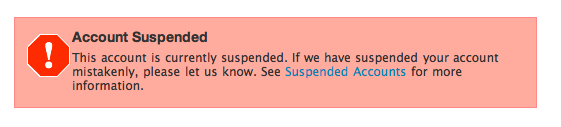
Twitter Suspended My Account! What to do Next?

I know a few twitter users who have been through this problem - Twitter Account Suspension - One of them being me. 

My story is wee bit stranger then a lot of other users I guess. Because not just one, but 5 (of the many) of my twitter accounts had got suspended. Now you must be thinking I am a spammer or din't follow guidelines or I just don't know how to use twitter. 
Well - all my suspended twitter accounts got resumed - I hope that clarifies your doubts that I do know how to use it.

So here is the back drop -
1. I have never spammed.
2. 3 out of 5 were corporate accounts so there was no scope of any malicious activity, very selective tweets. 
3. Have never used automated (or shady) softwares. 
4. Never went for bulk follows or unfollows, max on a day went till 20-30
5. One of my accounts got suspended even before I could email verify it - Strange as hell.
6. Was not doing any cross tweets, marketing.  
7. All accounts were decent, different from each other, not serial accounts (over a period of 7 months)
8. No duplicate content over multiple accounts or multiple duplicate updates on one account. 

My only guess as to why my accounts were being suspended was that twitter tracks IP and so they thought it was a serial or spam account. 

Basically everything I was doing was within the boundaries of twitter leaving me to think
"Why has my Twitter account been suspended for no reason, What did I do?" 

Anyways - Once you are out of the deluded frustration, You'd want to get your account back. 
I got all of my accounts back, So am pretty good at this one :D

How to contest your twitter account suspension?

Raise a support ticket immediately, whether or not you have received a suspension email from them. Explain clearly why your account should not have been suspended. Please don't be a smart ***. This is business. 


You'll get response from someone in twitter team soon and hopefully if you have not violated any rules, your account will be resumed. This process might take 2-5 days. Keep checking your ticket status and respond suitably. (Here


Don't panic, like I did the first 2-3 times. If you are alright, they'll resume it hopefully.

Oh and why were my accounts suspended, Every time same reply - 
"Falsely caught is a spam cloud" 

Do you also have a twitter account suspension story? Share it with everybody! 


Want to know?: How to Manage Twitter Account Completely with Zero Expense & Minimum Efforts
[..read more]


Wordpress Makes Tweeting Damn Easy

If you have been looking for an answer on google to "How can I add a Tweet button to Wordpress Posts" - Here it is!
Before introducing the Zemanta -Wordpress Partnership, Wordpress had announced its integration of TWEET button (as Facebook LIKE). This does not appear on the entire blog but on individual posts, which is good enough! Much to the reprise of Wordpress.com users.

Again, Very easy to activate.
1. Go to your WP Dashboard > Extras
2. Check the 'Show a Twitter Tweet button on my Posts'

3. Start Tweeting!


Awesome move by Wordpress, Whats next in line... Facebook Like? ;)

To stay updated about the latest updates on the blog, Subscribe to the Blog Email updates (Here) or Connect with me on Twitter
[..read more]