Everyone brand / product / service / website essentially have a Facebook Page these days. Placing a Facebook LIKE BOX at a key spot on your Blog or site is the nice way to create access for visitors to stay tuned with your offerings.
Here's how to add Facebook LIKE BOX on your blog. (I have mentioned for both Wordpress & Blogger below, Take your Pick)
Remember, It's only possible on Self hosted Wordpress blogs, blogger and websites. Don't waste time looking to place it on Wordpress.com free hosting. Whether or not you have a unique URL.. It's essential that the WP blog is self hosted to place the like box. You can't install a facebook like box in wordpress.com
Common Steps for Both -
Go to http://developers.facebook.com/plugins. There is an alternate way to do it by going through Edit page of Facebook, but I find this much easier.
Select "Like Box" from the menu on right column (Please Note there is a difference between LIKE BOX and LIKE BUTTON, so don't confuse yourself)
Now you need to enter your page details and preferences on the form.
1. Facebook Page ID - These are the unique numbers assigned to your page. To find your Page ID - Go to your facebook page, Click on your profile picture and in the Navigation Toolbar (Where you write the URL's) look for a long number code. Copy and Paste it on the Form

2. Set your preferences in terms of size, no. of fans to show, not show etc and hit GET CODE.

Now Copy the Iframes or Xfbml Code (as preferable on your site). For Blogger choose the Iframes Code.

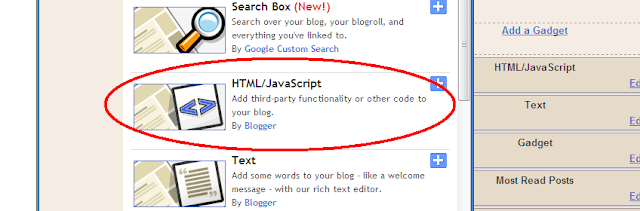
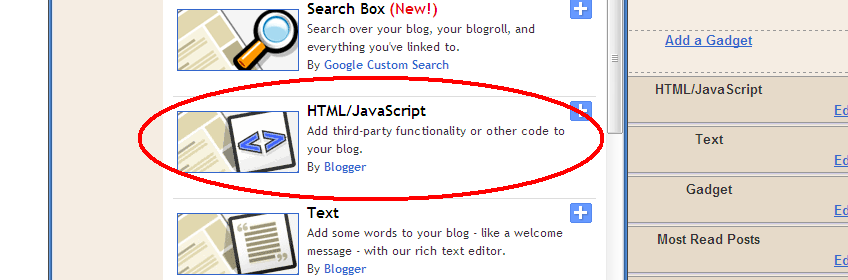
Install Facebook Like Box on Blogger
Paste the iframe code on your HTML/Java box in blogger through page elements.
Install Facebook Like Box to Your Wordpress (Selfhosted) blog
1.Go to Widgets under Appearance
2. Find TEXT widget and Drag it to your side bar
3. Paste the Iframe Code to it, and Save.

Install Facebook Like Box to Your Wordpress (Selfhosted) blog
1.Go to Widgets under Appearance
2. Find TEXT widget and Drag it to your side bar
3. Paste the Iframe Code to it, and Save.

I hope that's helpful, Let me know if any problems.


